
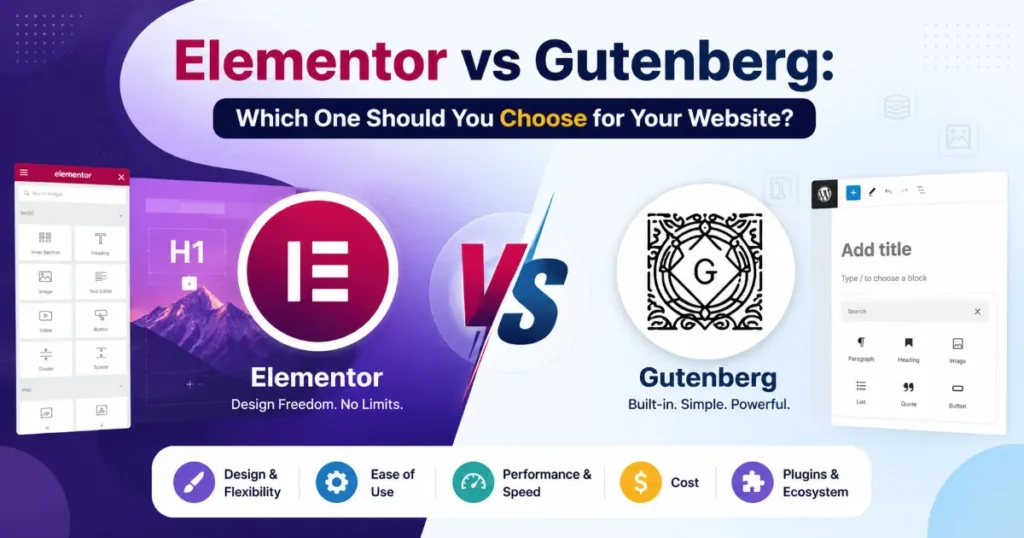

“Should I use Elementor or Gutenberg?” If you have spent any time in the WordPress world, you have probably asked yourself this exact question. Beginners ask it. Experienced developers ask it. And honestly, it makes sense because both tools are genuinely good at what they do. The real question is not which one is better overall, it is which one is better for you specifically. That is exactly what this guide will help you figure out.
WordPress runs more than 43% of every website you see on the internet today. That is not a small number. A big part of why so many people trust WordPress comes down to how flexible it is, and page builders play a huge role in that flexibility. The builder you pick will quietly shape how fast your site loads, how much creative control you actually have, and how easy or frustrating your website feels to manage six months down the road.
When people talk about WordPress page builders, two names keep coming up: Elementor and Gutenberg. Elementor is a plugin that gives you a visual drag and drop experience with a ton of design features packed in. Gutenberg, on the other hand, is the block editor that WordPress ships with by default, no extra installation needed. On the surface they both let you build pages, but once you start using them regularly you start to notice they have pretty different ideas about how website building should actually work.
What Is Elementor?
Elementor is a third-party WordPress plugin that came onto the scene back in 2016, and it genuinely changed how people thought about building websites on WordPress. Before Elementor, putting together a good-looking page often meant juggling code or constantly switching between your editor and a preview tab just to see what things actually looked like. Elementor fixed that by giving users a live, visual editing experience where every change you make shows up on screen right as you make it. For designers and developers, that was a pretty big deal.
The plugin comes in two versions. The free version is not just a stripped-down teaser either, it comes with a solid collection of core widgets that can genuinely get a basic site up and running. Then there is Elementor Pro, which starts at $59 per year and opens up a much wider set of capabilities. With Pro you get access to the Theme Builder, WooCommerce integration, form builder, popup builder, and hundreds of premium widgets that give you far more design flexibility.
By 2024, Elementor had crossed 10 million active installs, which makes it the single most popular page builder plugin in the entire WordPress ecosystem. That kind of adoption does not happen by accident. It reflects how many people, from freelancers to agencies to solo bloggers, have found it to be a tool worth building their workflow around.
What Is Gutenberg?
Gutenberg is the block editor that comes built right into WordPress, and it has been part of the platform since WordPress 5.0 launched in December 2018. The name is a nod to Johannes Gutenberg, the man who invented the printing press centuries ago, which feels fitting for a tool designed to help people publish content to the world. When it arrived, it replaced the older TinyMCE classic editor that WordPress users had relied on for years. Today, every fresh WordPress installation comes with Gutenberg already in place, completely free, no plugins required.
The way Gutenberg works is built around the idea of blocks. Every single piece of content on your page, whether that is a paragraph of text, an image, a heading, a button, or an embedded video, lives inside its own individual block. You build your page by stacking and arranging these blocks, and you can style each one to fit your design. It is a structured approach that keeps things organized and surprisingly flexible once you get comfortable with it.
With the arrival of WordPress 6.x, Gutenberg got a significant upgrade through Full Site Editing (FSE). This feature pushed Gutenberg beyond just posts and pages and gave it control over your entire website, including headers, footers, and full site templates. It was a clear signal that WordPress sees Gutenberg not just as a content editor but as the long term foundation for how the whole platform will be built and managed going forward.
Ease of Use
If you are someone who is just getting started with WordPress and has little to no coding experience, Elementor is the clear winner here. Its visual editor lets you simply drag widgets onto the page and watch everything come together in real time. There is no guessing involved. You can adjust padding, margins, typography, colors, and animations all from one single panel without ever touching a line of code. What you see while building is exactly what your visitors will see when they land on your page.
Gutenberg takes a different path. Its block-based approach feels more like working inside a word processor, which actually makes it a great fit for writing blog posts and putting together straightforward pages. For that kind of work, it is clean, simple, and gets out of your way. But once you start pushing for more, like complex multi-column layouts, full landing pages, or pixel-perfect custom designs, the native Gutenberg tools start to feel a bit limiting. You often find yourself reaching for additional plugins like Kadence Blocks or GenerateBlocks just to bridge the gaps that the default editor leaves behind.
So for pure design freedom and a beginner-friendly visual experience, Elementor has the upper hand. Gutenberg is capable, but it works best when you are not asking too much of it right out of the box.
Performance and Page Speed

When it comes to performance, Gutenberg has a pretty clear advantage. Since it is built directly into WordPress itself, it does not need to load a bunch of extra code on top of what is already there. Pages built with Gutenberg tend to be leaner, load faster, and generally perform better on tools like Google PageSpeed Insights and Core Web Vitals. And since those scores have a direct influence on where your site shows up in search results, this is not just a technical detail, it actually matters for your SEO.
Elementor has come a long way from where it started, and the team behind it has clearly put effort into improving performance over the years. But the reality is that Elementor still loads its own CSS, JavaScript, and font libraries onto every page it touches. Even if you dig into the settings and enable the Improved Asset Loading option, an Elementor-built page will generally still carry more weight than a comparable page built cleanly with Gutenberg.
For a lot of websites, that difference might not be the end of the world. But for sites where speed is everything, think e-commerce stores handling transactions or high-traffic blogs competing for attention, those extra milliseconds of load time can quietly cost you conversions, rankings, and readers over time.
Design Freedom and Flexibility
For anyone who cares deeply about design, Elementor feels like it was built specifically for you. The level of control it gives you is hard to match. You can fine-tune positioning, spacing, custom animations, hover effects, gradients, and custom CSS down to the pixel. Nothing feels out of reach. And if you are on Elementor Pro, the Theme Builder takes things even further by letting you design your header, footer, single post templates, archive pages, and 404 pages exactly the way you want them, all without writing a single line of code.
Gutenberg is not standing still either. Its design capabilities have been growing steadily, and the addition of Full Site Editing in WordPress 6.x has genuinely expanded what is possible with the native editor. It is more powerful today than it has ever been, and that gap is slowly getting smaller.
But honestly, right now, it still cannot keep up with the depth of control that Elementor offers. If your project demands complex, heavily customized layouts, the kind of work that goes into portfolio websites, high-converting marketing landing pages, or premium service pages, Elementor is simply the stronger tool for the job at this point in time.
Elementor: Pros and Cons
Pros
- Intuitive drag and drop visual editor
- Huge library of pre-built templates
- Advanced design controls for every element
- Full Theme Builder included in Pro
- Excellent WooCommerce integration
- Popup and form builders built right in
- Large community and third-party addons available
Cons
- Pro version comes with a yearly cost
- Can slow down page load speed
- Plugin lock-in makes it hard to switch later
- Heavier code output compared to native editors
- Can occasionally conflict with certain themes
Gutenberg: Pros and Cons
Pros
- Completely free and built into WordPress
- Faster pages and better Core Web Vitals
- No plugin dependency or vendor lock-in
- Full Site Editing available natively
- Clean, lightweight code output
- Actively developed by the WordPress core team
Cons
- Limited design flexibility by default
- Steeper learning curve for complex layouts
- Full Site Editing is still maturing
- Fewer templates compared to Elementor
- Needs extra block plugins for advanced use cases
Who Should Use Which?
Use Elementor if you are a freelancer, agency, or designer who needs maximum creative control. It is ideal for landing pages, service websites, portfolios, or WooCommerce stores where visual impact matters most.
Use Gutenberg if you are a blogger, content creator, or developer who values site speed, clean code, and long-term flexibility. It is perfect for news sites, documentation, and minimalist business websites.
Impact on SEO
Both Elementor and Gutenberg can absolutely support a well-ranking website, but the way they get there is a bit different, and those differences are worth understanding before you make a decision.
Because Gutenberg produces cleaner HTML and lighter pages, it naturally gives you a head start when it comes to speed. And since page speed is a confirmed Google ranking factor, that head start is not something to brush off. Your Core Web Vitals scores, specifically LCP, CLS, and FID, will typically come out better on a Gutenberg-built page simply because there is less bloat getting in the way.
That said, Elementor pages are far from unrankable. With the right setup, they can compete just fine in search results. The key is putting in the optimization work. Using a solid caching plugin, properly optimized images, minimized scripts, and a fast hosting provider can make a real difference. Tools like WP Rocket or LiteSpeed Cache are particularly effective at closing the performance gap between an Elementor site and a leaner Gutenberg build.
One thing worth clearing up is that neither editor actually handles your on-page SEO for you. Things like meta titles, meta descriptions, and structured data are not controlled by Elementor or Gutenberg at all. For that side of things, you will want a dedicated SEO plugin like Yoast SEO or Rank Math running alongside whichever editor you choose.
Final Verdict
At the end of the day, there is no single right answer here. The better choice is not about which tool is objectively superior. It is about which tool fits what you are actually trying to build and how you like to work.
If design freedom, a visual editing experience, and a rich set of features are at the top of your priority list, especially if you are taking on client projects or building an e-commerce store, then Elementor is likely the tool that will serve you best.
On the other hand, if what matters most to you is site speed, keeping costs low, working with clean code, and not depending on third-party plugins for the long haul, then Gutenberg is probably the smarter path forward.
But here is the thing. Both tools are genuinely capable of helping you build a website you are proud of. Neither one is a bad choice. The real goal is to pick the one that feels natural in your workflow and supports the kind of work you want to do. Spend a little time with both if you can, and the right fit will usually make itself pretty obvious.
